You tell an app to avoid fragrance, and it calls a perfume a “good fit.” That’s what PureCheck did when we tried it. It was the only app we tested that let us mark fragrance as something to avoid without an account or a subscription. It also asked us for money before we’d seen a single product and answered a “fragrance free” search with perfume. For an app that offers personalized product guidance, that’s not good enough.
Evidence key Strong Moderate Weak How we grade
Everything about the app below is what we saw on an Android phone on October 3, 2026. Apps change, so check yours. We have no connection to PureCheck and earn nothing from it.
Getting in: free, but the price tag comes first
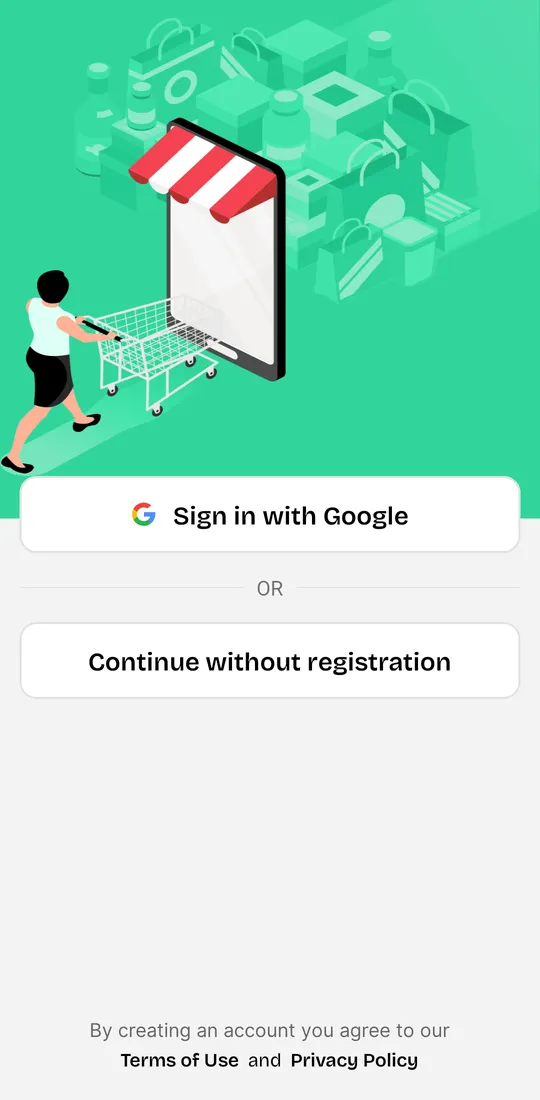
PureCheck let us in without an account. “Continue without registration” sat right under “Sign in with Google.”
The very next screen was a subscription offer: $4.99 a month or $29.99 a year, with “Free scanning of all products” listed as something you pay for. We closed it with the X in the corner. In our view, putting a bill in front of people before they’ve looked up a single product puts revenue first.

The app also showed a banner ad at the bottom of the screen, here for an unrelated app.
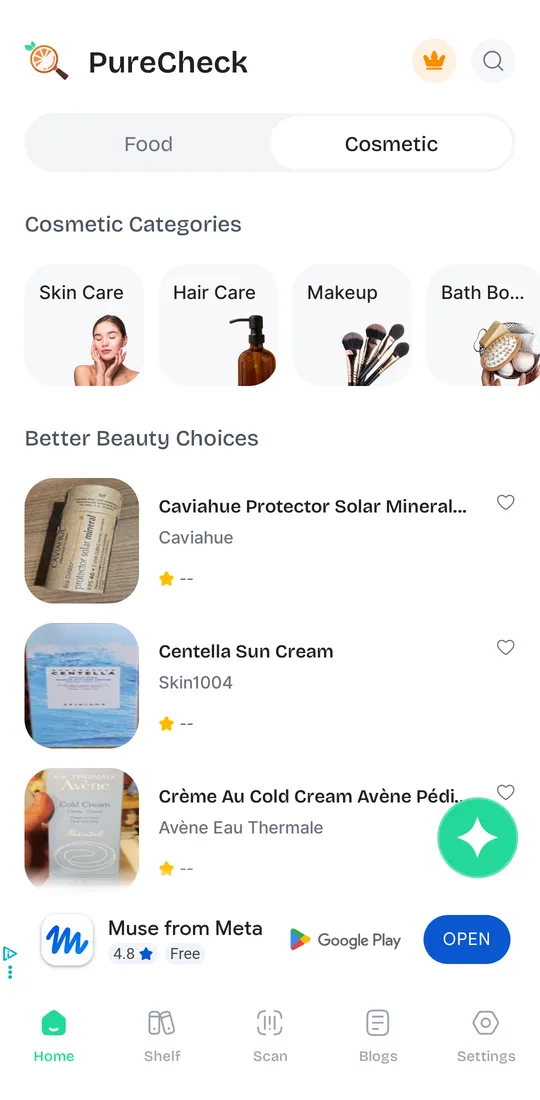
Search: “fragrance free” brought up perfume
For anyone avoiding scent, this was the worst result. We searched “fragrance free.” The results were fragrance mists, a “fragrance lotion,” a fragrance oil, and Dior Sauvage Elixir.
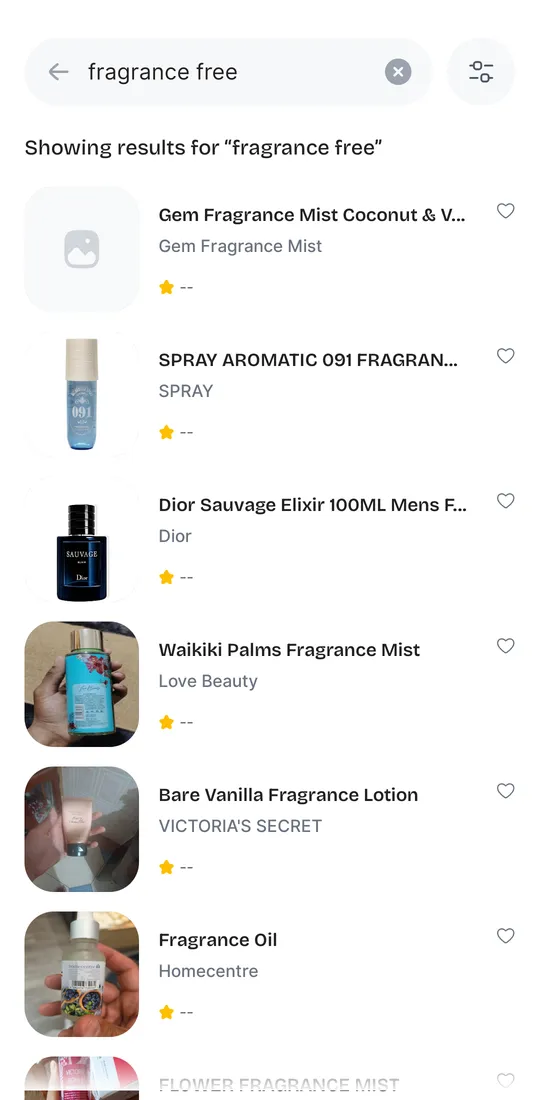
Search seemed to match words, not meaning. A search for “cool water davidoff” returned a dairy drink, a toothpaste, and candy, and never the cologne.

Trash bags: no results.

A weak search hurts most when the label itself gives you only the word “fragrance.” In the US, "fragrance" can be listed as a single word because the mixture is protected as a trade secret, so the individual chemicals are rarely named on the label. Strong evidence. Pinkas 2017
The product page names the fragrance chemicals
Here’s where PureCheck earns real credit. Under “Allergens,” the Dior page named linalool, limonene, coumarin, citronellol, eugenol, and four more, and flagged that the product contains fragrances. It showed an ingredient list too, free.
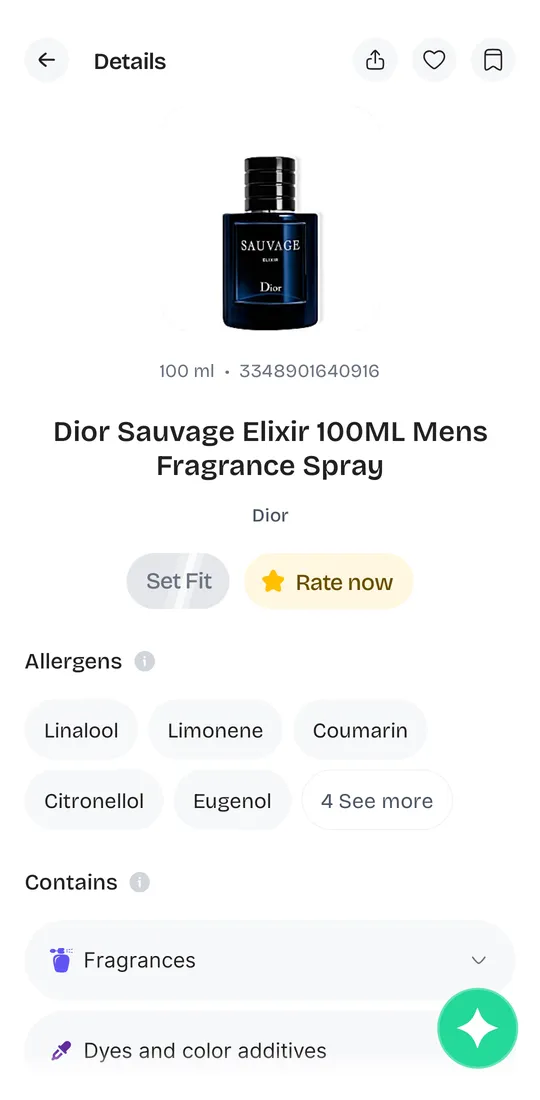

Named chemicals matter. Common fragrance chemicals such as limonene (citrus) and linalool (lavender) react with air to form far stronger skin allergens; in mouse tests, oxidized limonene was about 10 times more potent than fresh limonene. Strong evidence. Karlberg 2013
Telling it to avoid fragrance works, until you look at the number
PureCheck has a short “Fit” questionnaire. One question asks what ingredients you want to avoid, and Fragrance is a choice. We picked it. No account and no payment were needed.

Back on the Dior page, the app did its job: in red, it listed “Fragrance” and eight named chemicals as conflicting with our fragrance preference.
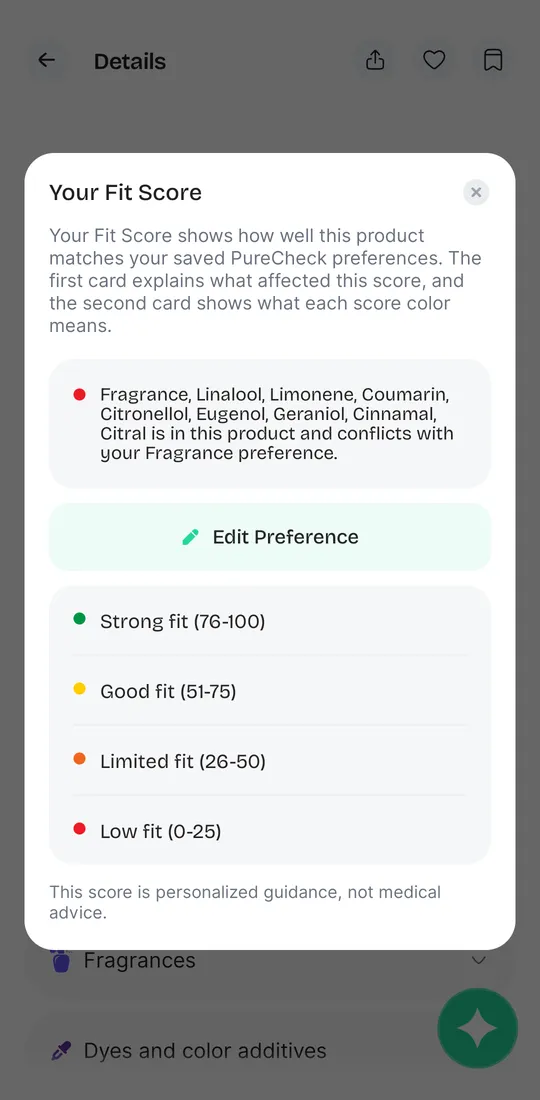
Then it scored that same perfume “75% Fit.” On PureCheck’s own scale, 51 to 75 is a “Good fit.” A perfume, for someone who just said no fragrance. We think a score that can say “good fit” right next to a list of conflicts tells people what they want to hear, not what they need to know.

And the industry’s own fragrance limits weren’t designed for people who are already allergic. The industry's fragrance safety-limit system (QRA/IFRA Standards) is explicitly designed to prevent new fragrance allergies from developing, not to protect people who are already allergic from reacting to a compliant product. Strong evidence. Api 2020 (RIFM/IFRA) Industry-funded
We scanned a “fragrance-free” body wash
We scanned one bottle we had at home: Cetaphil Ultra Gentle Body Wash, labeled “Fragrance Free.” Its ingredient list includes heliotropine. The EU’s official cosmetic ingredient database, CosIng, lists “fragrance” and “perfuming” among heliotropine’s functions, and our label decoder flags the name for that reason. The label doesn’t say what heliotropine is there for, and a scan can’t tell you. We wanted to see whether each app would point it out.
The scan took a long time. Before the result came up, the app asked us for a review: “Give us 5-star rating!”
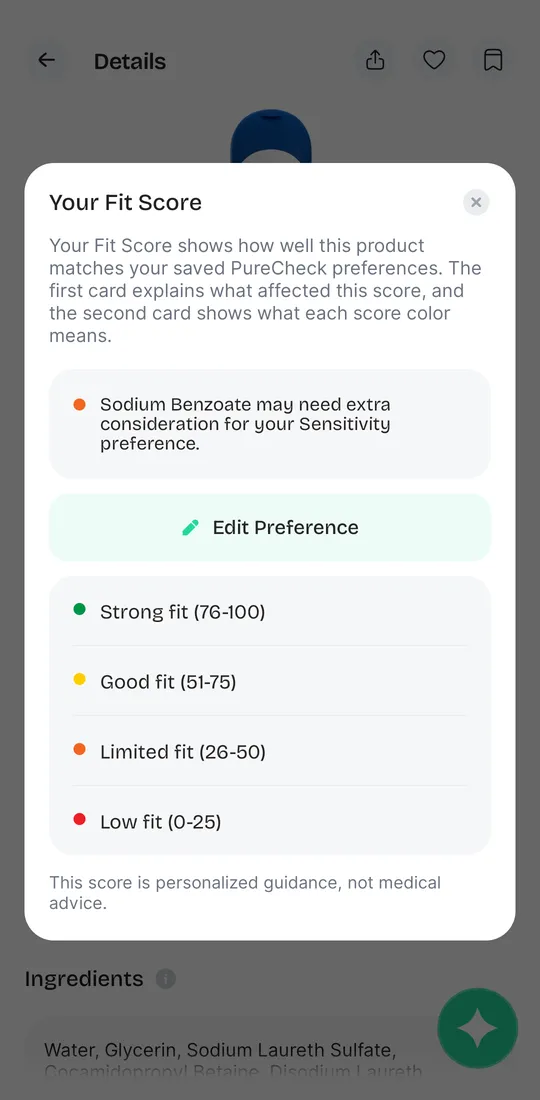
It listed the product under the brand “Ultra” instead of Cetaphil. With Fragrance still saved as something to avoid, it rated the wash a green “90% Fit.” The only thing it flagged was sodium benzoate, for the “Sensitivity” preference.
Heliotropine is right there in PureCheck’s own ingredient list for the product. The fragrance setting didn’t flag it.
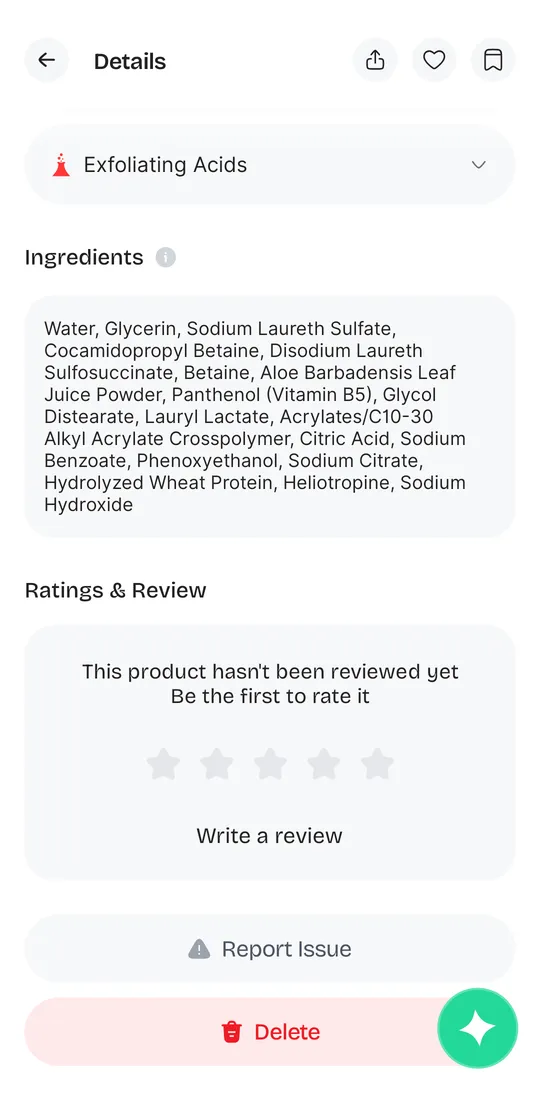
That’s the feature we gave PureCheck credit for above. On the one real product we scanned, the fragrance setting didn’t flag heliotropine, although CosIng lists “fragrance” and “perfuming” among its functions.
A 2016 label survey of “fragrance free” body moisturizers found some listed ingredients that a dermatology allergen database flags for fragrance-allergic patients. That doesn’t prove added scent. In a 2016 survey of 174 best-selling US body moisturizers, 18 of the 40 labeled "fragrance free" (45%) still listed at least one ingredient that dermatologists' allergen database (ACDS CAMP) flags for fragrance-allergic patients. Moderate evidence. Xu 2017
How to use PureCheck for free if you avoid fragrance
- Choose “Continue without registration,” and close the subscription screen with the X.
- Open any product, tap “Set Fit,” choose Cosmetics, and pick Fragrance under ingredients to avoid.
- Ignore the percentage. Tap it and read the red list of conflicts instead.
- Don’t trust a “fragrance free” search. Treat app results as leads, and check the ingredient list on the package.
- For products it can’t find, paste the ingredient list into our label decoder.
- An app can’t ask your office to go fragrance-free, but you can. Start with a printable sign or a letter.
For how another popular app handles fragrance, see our EWG Healthy Living test.
App details are from our own test on October 3, 2026, and may have changed. Opinions about the app are ours. Research findings show their evidence grade and source. Screenshots are of PureCheck, shown for review. Information, not medical advice.