Point your phone at a barcode or an ingredient list, and the I Hate Perfume app shows you the fragrance and fragrance allergens in it, with a source for every flag. It’s free, with no ads, no analytics, and no account. It’s also a beta: it works, it’s not finished, and we’d love your help making it better.
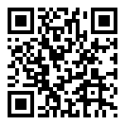
For Android 7.0 or newer. The button always gets the newest version. If it won’t install on an older phone, try the version for older phones. Every version, with release notes, is on the GitHub releases page. There’s no iPhone version yet, and the app isn’t on Google Play yet.
What it does today
- Scan a barcode. The app checks the products we’ve reviewed first, right on your phone, and then the free Open Beauty Facts, Open Products Facts, and openFDA databases.
- Photograph an ingredient list. You can check and fix any words the camera misread before the app reads the list.
- Type or paste a list, if that’s easier.
- See what’s flagged and why, with the source for each flag and a page for each ingredient. It uses the same lists as our label decoder.
- Keep your own list of ingredients you react to, plus your recent scans. Both stay on your phone.
- Get updates to the ingredient and product lists every day, or tap Update database.
What isn’t finished
- Lots of barcodes come back “not found.” Our product list is small and growing, and that’s where you come in.
- Photo scans need a sharp, well-lit, flat label. On a curved bottle, you may need to type the part the photo missed.
- Android only, English only, and mostly US products for now.
- There’s no feedback button in the app yet, so tell us using one of the options below.
How to install it
- On your Android phone, tap the download button on this page. When the download finishes, open the file (it’s called ihateperfume.apk).
- When Android asks, let your browser install unknown apps (Settings, then Apps, then your browser, then Install unknown apps).
- Tap Install. Google Play Protect may say it doesn’t recognize the app, because it isn’t on Google Play yet. Tap “Install anyway.”
- The first time you scan, the app asks to use your camera. That’s the only permission it asks for.
To update, come back here, download again, and install it the same way. It goes right over the old version and keeps your list and recent scans.
How you can help
- Use it and tell us what breaks. If you have a GitHub account, open an issue. If not, use our contact page.
- Add missing products. When a barcode isn’t found, tap Add it and take photos of the front and the ingredient list. We check every submission against the photos before it’s added, and then everyone gets it in the next update.
- Ask us to find a product. If you can’t photograph it, Ask us to find it sends just the barcode number, and we’ll look for the label.
- Report a wrong list. If a product’s ingredients don’t match your package, tap Report it under the list.
- Help build it. The app is open source under the GPL. Fixes and improvements are welcome on GitHub, and anyone who shares their own version has to credit ihateperfume.com.
Your privacy
Your scans, photos, and list stay on your phone. To look a product up, the app sends only its barcode number, and only if the product isn’t already in our list on your phone. It sends us anything more only when you choose to: photos when you add a product, or a barcode when you ask us to find one or report a list. The details are in the app privacy policy and app terms, which we’re still finalizing during the beta.
The app flags what’s on its lists. It can’t promise a product won’t bother you, and a missing flag doesn’t mean a product has no fragrance. Information, not medical advice.